You tap a filter and suddenly you’re a chubby-cheeked toddler. Tap another and you’re 80, with silver hair and kind wrinkles. Tap a third and you’re looking at a version of yourself with a different gender presentation, and your best friend says, “Wow, you look exactly like your brother.”
It feels like magic, but there’s a clear process underneath. Once you understand how AI face filters work, you’ll know why some results are spookily good, why others go wrong, and how to get better ones.
Here’s the plain-English tour, no computer science degree required.
Two kinds of face filters
Not all filters are created equal. Most fall into one of two families, and they work very differently.
| AR overlay filters | Generative AI filters | |
|---|---|---|
| Examples | Dog ears, sunglasses, makeup, face stretch | Baby face, aging, gender swap, art styles |
| What they do | Add or warp graphics on top of your face | Redraw your face pixel by pixel |
| Speed | Live video, instant | Often a second to several seconds |
| Where it runs | Usually on your phone | On the phone or on company servers |
| Looks real? | Clearly a filter | Can look photorealistic |
Both families start the same way, though: by figuring out exactly where your face is.
Step 1: Finding and mapping your face
First, a face-detection model scans the image and draws an invisible box around each face. Then a landmark model places dozens or even hundreds of points on key features: the corners of your eyes, the edges of your lips, the bridge of your nose, the outline of your jaw.
Many apps go further and fit a 3D mesh to your face, a bit like a wireframe mask. That’s why AR sunglasses stay on your nose when you turn your head, and why makeup filters follow your lips when you talk.

Mapping is also where many failures begin. Strong shadows, a tilted head, hair across your eyes or a hand near your chin can push landmarks off target. Our guide on how to take a great selfie explains how to give filters a clean starting point.
Step 2: Transforming the face
Here’s where the two families split.
AR filters: warping and painting
Overlay filters use your face map like a coloring book. They might enlarge your eyes by stretching the area around them, slim your jaw by nudging those points inward, or paint lipstick inside the lip outline. It’s geometry and graphics, fast enough to run on live video.
Generative filters: redrawing from learned patterns
Transformative filters use generative AI models trained on very large collections of face images. During training, the model learns patterns: what tends to differ between a child’s face and an adult’s, or between faces typically labeled younger and older.
When you apply a filter, the model represents your face as a compact set of numbers, shifts those numbers in the direction of “younger” or “older,” and redraws the image. Earlier apps leaned on GANs, where two networks compete until results look real. Many newer tools use diffusion models, which build an image step by step from noise, guided by your photo.
The hardest part isn’t the change itself. It’s keeping you recognizable while changing almost everything around your features.
Baby face filters explained
Baby face filters lean on features people instantly read as “young.”
- Bigger eyes relative to the rest of the face.
- Rounder cheeks and a softer, shorter jaw.
- A smaller nose and a higher forehead.
- Smooth skin with no lines or stubble.
- Finer, wispier hair, sometimes a whole new hairstyle.
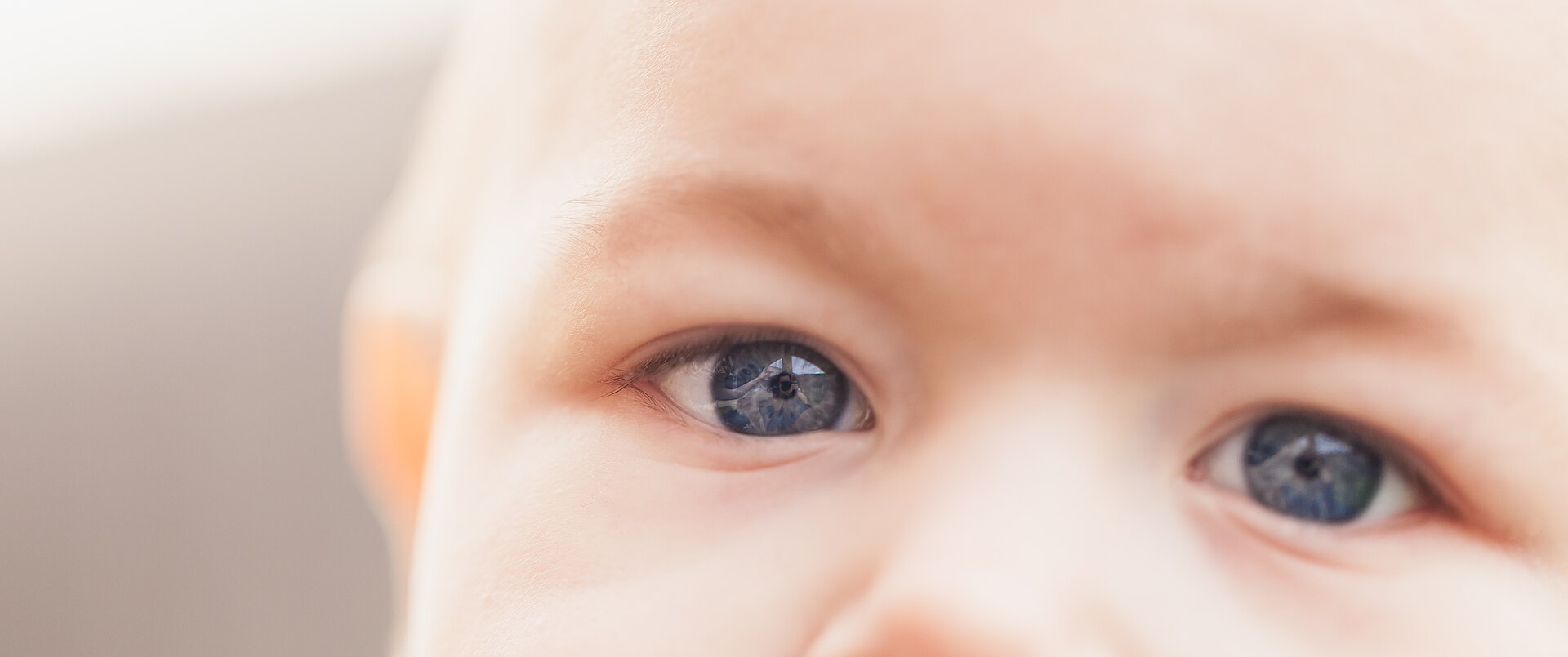
Simple versions just warp proportions, which is why they look cartoonish. Generative versions redraw the whole face and can be startlingly believable. Either way, the result isn’t what you actually looked like as a baby. Compare it with a real childhood photo and you’ll usually see the AI’s “average baby” showing through.
The same is true of “what will our baby look like?” filters that blend two parents’ photos. They mix visual features, not genes, so treat them as a fun guess.
Gender swap filters explained
Gender swap filters shift your face toward visual traits the model associates with faces labeled “male” or “female” in its training data. That might mean adding or removing facial hair, changing hair length, adjusting brow shape and jawline, or adding makeup.
It’s worth remembering what these filters are: a visual effect built on broad stereotypes about appearance. They don’t say anything about anyone’s gender identity, and real people of every gender look all kinds of ways. Used kindly, they’re a playful “what if.” Used to mock someone, they stop being fun quickly.
Results often look like a sibling because the model keeps your eye shape, skin tone and overall proportions, which are the same features that run in families.
Aging filters explained
Aging filters add the changes that commonly appear with time: gray or thinning hair, fine lines and deeper folds, a softer jawline, thinner lips, heavier eyelids. Good ones also adjust skin texture and tone rather than just drawing wrinkles on top.
What they can’t know is your genes, sun exposure, health or habits, which shape real aging far more than any average. For the full story, read our deep dive on how AI age progression works and how accurate it is.
Why filters sometimes go wrong
- Bad mapping: shadows, angles or obstructions put landmarks in the wrong place, so features warp oddly.
- Identity drift: the transformation is so strong that the model loses track of your features and draws a stranger.
- Training bias: if a model saw fewer faces like yours, it may change your skin tone, hair texture or features toward its “default.”
- Accessories: glasses, hats and earrings can melt into skin or multiply.
- Edges: the boundary between the new face and your original hair, neck or background can look pasted on.
These same quirks are some of the best clues for telling real from fake. See our guide on how to spot an AI-generated photo for more.
Tips for better filter results
- Face the camera straight on, with soft light from the front.
- Keep hair off your face and remove sunglasses or hats.
- Turn off beauty smoothing before applying a transformation filter.
- Use a neutral expression or a gentle smile.
- Try a couple of different photos; results can vary a lot between them.
Multi-photo generators, like the ones behind the AI yearbook photo trend, take this one step further by learning your face from several selfies before generating anything.
On-device vs. cloud: why it matters for privacy
Live AR filters typically run on your phone, so your face doesn’t need to leave the device. Heavier generative effects are often processed on company servers, which means your photo is uploaded, at least temporarily.
That isn’t automatically a problem, but it’s worth knowing what happens next. Our checklist on whether it’s safe to upload your face to AI apps covers storage, training and deletion.
FAQ
Do baby face filters show what I really looked like as a child?
No. They apply general “young face” traits to your current features. The result often resembles you, but it isn’t a reconstruction of your actual childhood face.
Why does the gender swap filter make me look like my sibling?
The filter keeps the features that make you recognizable, like eye shape, skin tone and face proportions, and changes things like hair and facial hair. Siblings share many of those core features, so the result often looks familiar.
Are AI face filters processed on my phone?
Simple AR filters usually are. More complex generative filters may send your photo to a server. Check the app’s privacy policy to see where processing happens and how long images are kept.
Why do filters change my skin tone?
Often it’s a sign the model was trained on fewer faces like yours, or the lighting in your photo misled it. Even, natural light helps, but some apps simply handle diverse faces better than others.
AI face filters are a playful window into “what if”: what if you were younger, older or looked a little different. Knowing how they work helps you enjoy them more, pick better photos, and take every result with the grain of salt it deserves.